
CUSTOM KEYBOARD SHORTCUTS & MOUSE CONTROLS!
ESPECIALLY FOR OUR USERS
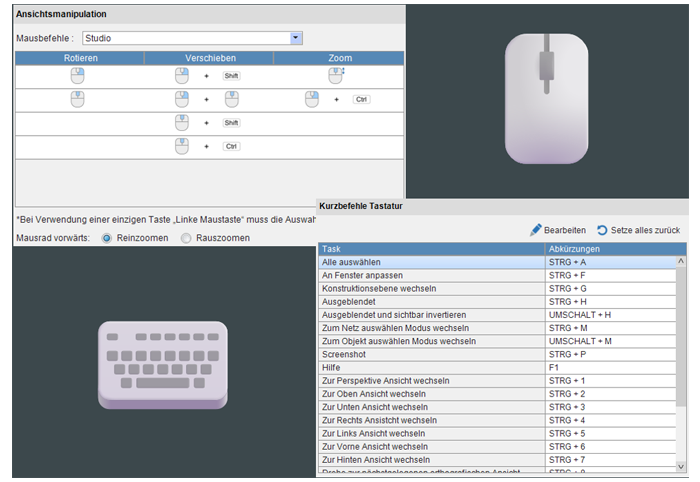
CAx software uses different keyboard shortcuts for the same functions, which can pose a familiar challenge. Especially, when it comes to mouse control: rotations in the CAD program may function differently than in the CAE software, wasting the user’s time. Moldex3D Studio 2025 offers a targeted solution that significantly optimizes this issue, paving the way for fast, efficient, and seamless work.
"Muscle memory" helps us work more efficiently, whether it being in sports, playing music or using software. We internalize workflows for specific tasks and activities, including program functions. However, things can get tricky when different programs control the same function in different ways. This is precisely where Moldex3D’s potential lies. With Moldex3D Studio 2025 users can now customize keyboard shortcuts and mouse controls according to their preferences. Additionally, pre-built profiles are available for popular CAX tools, such as Creo, NX, Abaqus, SolidWorks, Ansys, Rhino, HyperMesh, and CATIA, which significantly simplify control.
With just a few clicks users can make their selection and get started right away. They can use the familiar interface of their favorite program without any training. Time savings and easier handling of tasks are guaranteed.